
You know, I’ve seen this process evolve from hand-drawn blueprints faxed to foundries to what we do today. And let me tell you – the digital thread hasn’t just changed the speed; it’s changed the very nature of what’s possible in metalcasting. Our workflow isn’t just a sequence of steps. It’s a conversation between design intent and physical reality, and the sooner you understand that dialogue, the fewer expensive surprises you’ll have.
The CAD Model: Where Most Mistakes Are Baked In (And We Don’t Mean Baking Cores)
Here’s the thing everyone learns the hard way: a CAD model that looks perfect on screen can be a nightmare to cast. I’ve spent more hours than I care to admit on the foundry floor, looking at a beautiful 3D model on a tablet and then at a cracked casting in the sand, thinking, “Well, there’s the disconnect.”
Our first rule is simple: Design for the process, not just the function. That means our CAD work starts with what I call “virtual foundry rules” already in the designer’s mind.
- Draft Angles: This is Casting 101, but you’d be shocked how often it’s an afterthought. Every vertical surface needs draft – typically 1-3 degrees, depending on the process. But here’s the nuance: the draft isn’t just for pattern removal. It helps the metal flow and reduces tearing. I’ve seen designs for investment casting (which can handle near-zero draft) sent to a sand foundry by mistake. It’s a $10,000 error before the first pattern is made.
- Radii are Your Best Friend: Sharp corners are stress concentrators and hinder metal flow. We fillet everything. But not just any fillet. A radius should be a minimum of 1/8 inch for small castings, scaling up from there. I have a specific memory of a pump housing that kept failing in pressure testing. The stress analysis was fine, but the sharp internal corners from the CAD model created hot spots during solidification, leading to micro-shrinkage. We added a generous radius, and the problem vanished. The CAD looked “less precise,” but the part was infinitely stronger.
- Wall Thickness Consistency: This is arguably the most critical rule. You want uniform wall thickness wherever possible. If you must have a thick section, you must transition gradually. A sudden jump from a 1/4″ wall to a 2″ boss is an invitation for a shrinkage cavity – a void inside the casting that will fail under load. We use shelling and ribbing to maintain strength without creating these thermal masses. It’s a balancing act.
The Translation Layer: Where We Speak “Foundry”
This is where the magic – and the hard work – happens. We’re not just sending a STEP or IGES file. We’re preparing the model for its journey into the physical world.
1. Pattern/Mold Compensation (A.K.A. “The Shrink Rule”):
Metal shrinks as it cools. Aluminum shrinks about 7%. Steel about 2%. Ductile iron has its own curve. So, we scale the CAD model up accordingly. But – and this is a big but – it’s not uniform. Long, thin sections shrink differently than chunky ones. Experienced patternmakers and simulation software apply differential scaling. I never rely on a single global scale factor for anything but the simplest shapes.
2. Core and Cavity Design:
If the part has internal passages (like a water jacket in an engine block), we need cores. In CAD, we design the core shapes as negative spaces. The trick is designing core prints – the registration features that hold the core in place inside the mold. Get the prints too small, and the core “floats” when the metal pours in, ruining the geometry. Too large, and you create a massive heat sink that causes shrinkage. I have a set of empirical ratios I start with, based on core weight and projected surface area.
3. Gating and Feeding System Design (The Lifeline of the Part):
This is the plumbing that delivers molten metal to the cavity and feeds it as it solidifies. In the digital model, we add:
- The Sprue: The downspout.
- Runners: The horizontal channels.
- Gates: The inlets to the part itself.
- Risers (or Feeders): These are sacrificial reservoirs of hot metal placed on thick sections. As the casting shrinks, it draws molten metal from the riser, like a reservoir feeding a lake. Placing them correctly is an art form. We use simulation software now, but I still sketch initial riser placements based on the “circle of influence” method I learned from an old foundryman 20 years ago. The software usually proves him right.
Simulation: The Virtual Casting Floor
This is the single biggest game-changer in my career. We run computational fluid dynamics (CFD) and solidification simulation on the complete digital model (part + gating).
- What we’re looking for:
- Air entrapment: Where air might get trapped, causing bubbles or porosity.
- Cold shuts: Where two metal fronts meet but don’t fuse because they’ve cooled too much.
- Shrinkage porosity: Predicting exactly where those internal voids will form.
- Hot spots: The last places to solidify, which are prone to shrinkage and coarse grain structure.
I’ll give you a real case. We had a bracket for a renewable energy application. The simulation showed a 99% chance of a shrinkage cavity in a critical load path. The designer was adamant the geometry couldn’t change. So, in the digital sandbox, we iterated: we moved a riser, added a chill (a piece of metal embedded in the mold to draw heat away faster), and tweaked the gate size. Simulation #5 showed a sound casting. We adopted that recipe for the physical mold, and the first casting out of the box was X-ray perfect. That used to take 4-5 physical trial runs and weeks of time. Now it takes a day of compute time.
The Digital-Physical Handoff: Files for Fabrication
The output isn’t just one file. It’s a package:
- **The “as-cast” 3D model for coordinate measuring machine (CMM) inspection.
- CNC toolpaths for machining the mold (if it’s a machined mold like for investment casting) or for machining the pattern (for sand casting).
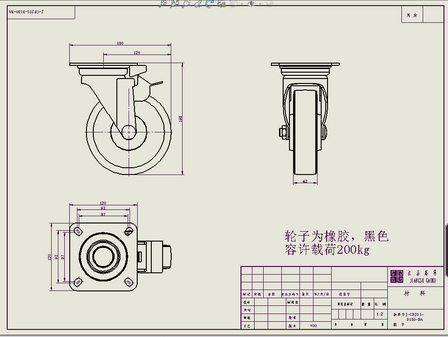
- 2D drawings with “cast” dimensions and tolerances, which are very different from machined part tolerances. We might call out ±0.030″ on a critical locating surface, which would be horrible for a machined part but is excellent for a casting. The drawing also specifies draft angles, parting lines, and finish allowances.
The Feedback Loop: This is Where You Win
The workflow isn’t linear. It’s a circle.
When the first casting comes off the line, we:
- 3D-scan it and compare the point cloud to our “as-cast” CAD model.
- Cut it up (we call these “saw cuts”) to check internal soundness where simulation predicted issues.
- Review the real-world gating – how did it actually fill? Sometimes you see erosion or other effects the simulation didn’t quite catch.
Then we feed that data right back into the front end of the CAD and simulation process for the next iteration or the next project. That institutional memory – digitized and actionable – is what turns a workflow into a competitive advantage.
The bottom line I’ve lived by: A perfect digital model of an un-castable part is worthless. A slightly imperfect digital model of a robust, manufacturable part is gold. Our job is to use the digital toolkit not to create fantasy, but to navigate the constraints of physics and economics to deliver something real, reliable, and often beautiful, right out of the mold.
What stage of this process are you wrestling with right now? The pain points are usually very specific.
No Responses